Using Alerts to Time Food, Fuel, and Medicine Restocking
By Jack Lawson ·
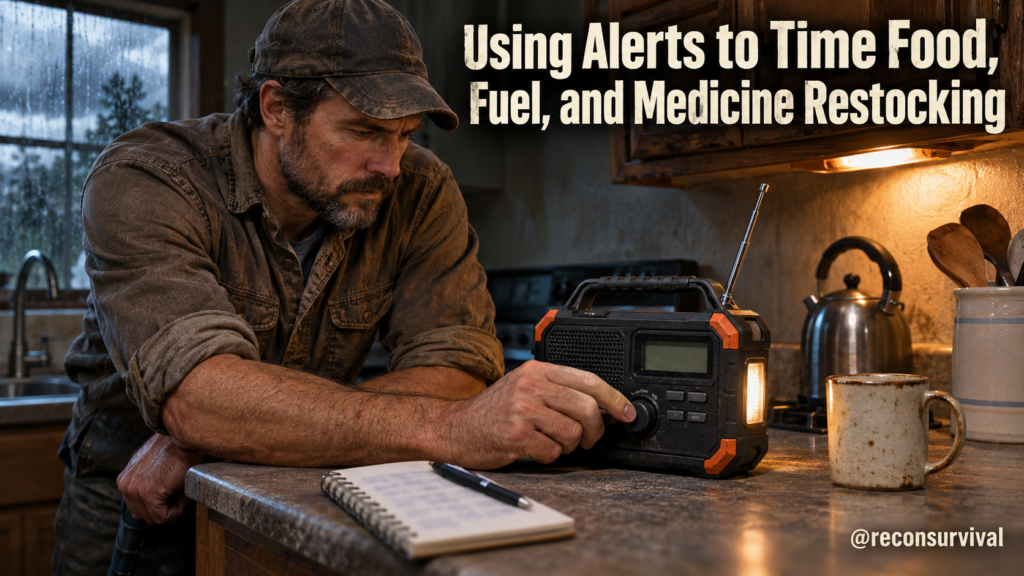
If a winter storm cut your power tonight, would your household know exactly when to restock food, fuel, and medicine? Most advice on emergency preparedness fails here. It offers either a generic checklist that doesn't account for your specific timeline, or it pushes expensive gear that assumes you have time to research and buy it. The real problem isn't a lack of supplies; it is the disconnect between the signals you already receive and the moment you need to act. This matters because weather forecasts and local emergency alerts are your earliest warning system, but they are useless unless you connect them to a physical action. An alert about incoming snow or a potential road closure isn't just news; it is a trigger to verify your fuel levels, check your medicine rotation, and confirm your food stock. A calm, value-first approach uses those signals to time your resupply before the situation becomes urgent. The most common mistake is treating emergency alerts as a notification to be read later, rather than a trigger for a specific household task. People assume they will remember to check their fuel canister or rotate their medicine when the storm hits. By then, traffic is gridlocked, stores are closed, and the decision becomes about finding what's left rather than managing what you have. Waiting for a crisis to start a resupply check is a failure of timing. The practical system for connecting weather and local signals to smart resupply decisions is to treat every alert as a scheduled inventory check. You do not need a special app or a complex protocol. You need to associate the arrival of specific signals with a physical inspection of your key supplies. This turns passive information into active preparation. Here is how a normal household can use this system:
As an Amazon Associate, I earn from qualifying purchases.
1. Date the Current fuel can and Relocate It
Begin by identifying your stored fuel. Write the current date on the container. Move it to a shaded, well-ventilated, and labeled storage spot to protect it from heat and direct sunlight. Always store fuel away from living spaces and follow the manufacturer's instructions for safe handling and storage. ## 2. Link Alerts to a "Checklist Trigger" Protocol
Define what you will do when an alert arrives. Most households use emergency radio or smartphone alerts to hear about severe weather, road closures, or utility outages. When an alert sounds, use it as a trigger to open your pantry or storage area. * Weather Alert: Check your food and water supply. Is it time to eat the oldest items? Is your water storage level sufficient for the duration of the forecasted outage? * Road Closure or Travel Advisory: Verify fuel levels and medicine quantities. Can you physically access your pharmacy if roads are closed? Do you have a month's supply of critical prescriptions, or are you waiting for a refill? * Utility Outage Warning: Check your fuel for generators or heating systems. Ensure you have enough stored to last through the estimated repair window. If your heating system requires manual operation, refer to the manufacturer's instructions for safe startup. This system works because it removes the decision-making burden during the event. You have already decided that an alert equals a check. The action is automatic. ## 3. Connect Supplies to Actual Use and Rotation
Supplies are not a plan unless they become actual meals and usable water. A pantry full of unrotated food is a liability, not a safety net. When you perform your trigger check, look at your inventory through the lens of a meal plan. * Food: Identify the oldest items. Plan a meal for this week that uses them first. This ensures that food never spoils in the back of the cupboard. * Water: Check for signs of leaks or container degradation. Ensure you have a way to access water if the tap stops running. * Storage Conditions: Verify that your storage area is dry and cool. Moisture and heat are the enemies of shelf life for both food and medicine. If you see signs of water damage or mold, move the items immediately. ## 4. Execute a Waste-Reduction Checklist
Use your trigger checks to maintain a waste-reduction cycle. A clean pantry and water storage scene relies on labeled containers and a rotation system. * Label Everything: Every container of food, fuel, or medicine should have a label with the date it was stored or purchased. * First-In, First-Out: When you buy new supplies, place them behind the older stock. Move the older stock to the front for use. * Rotation Audit: Once a season, or after a significant alert, do a full count. If you have two bottles of medicine, check the expiration dates. If one is expiring soon, use it first (if medically appropriate) or trade it for a fresh supply. This keeps your stock fresh without wasting money. ## 5. Verify Signal Sources
Ensure your information sources are redundant. If your internet goes down, does your emergency radio still work? If your phone battery dies, do you have a battery-powered weather radio or a way to receive local emergency notifications? Redundant information tools make the alerts more valuable. You need to know that the signal you are receiving is real and that you can hear it even if other systems fail. Always follow the manufacturer's instructions for testing and maintaining your alert devices. The Recon Survival takeaway is that preparedness is not a one-time purchase. It is a rhythm. The signals you receive every day are the metronome for your readiness. When you hear the alert, you do not panic; you check, you rotate, and you move. This keeps your supplies fresh, your fuel usable, and your family safe without the chaos of a last-minute scramble. ## Action Plan for Today
- Find your fuel canister. Write today's date on it. Move it to a shaded, labeled storage spot. * Open your emergency alert settings on your phone or radio. Ensure they are turned on and set to receive severe weather and local emergency notifications. * Pick one item in your pantry (like a can of beans or a bottle of water) and write its date on it. Move the older items to the front.